


ZONE Wallet Account Opening Guide: Download, Sign Up, and Link Your Bank Account
What Documents Do You Need to Open a ZONE Wallet Account?
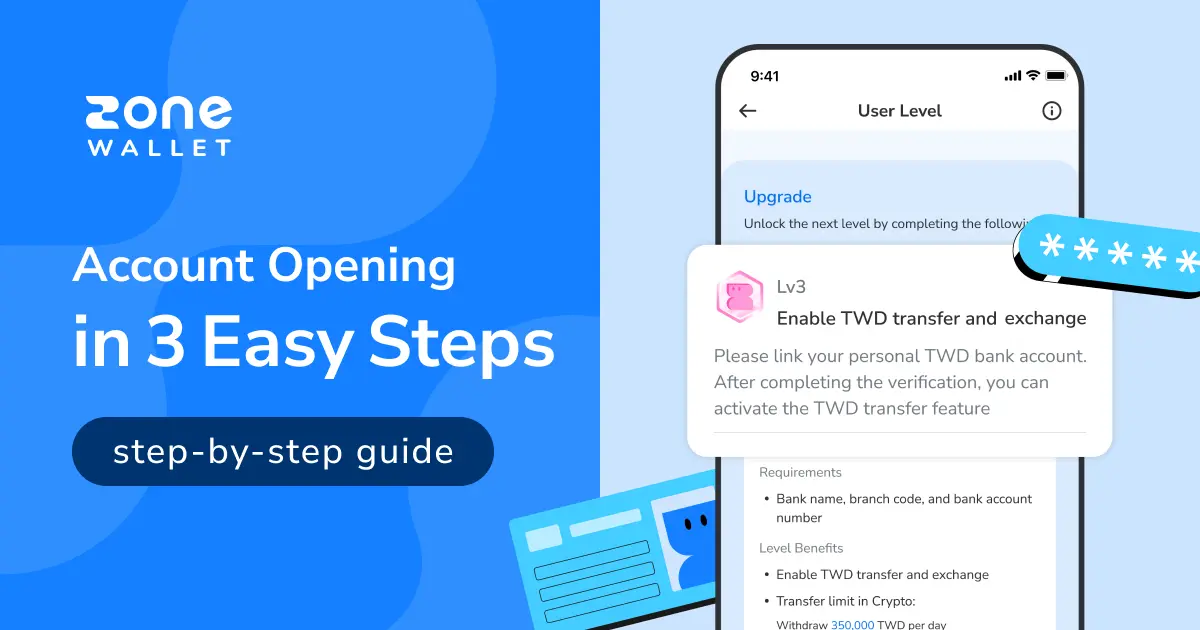
ZONE Wallet is a legally compliant local cryptocurrency exchange in Taiwan. Users can trade cryptocurrencies easily through ZONE Wallet, and opening an account is simple. Prepare the following three items to complete the three-stage account application smoothly:
1. A mobile phone (for phone verification)
2. A Taiwan national ID card (for KYC identity verification)
3. A bank account (for bank account linking)
How Do You Open a ZONE Wallet Account? Complete It in Four Simple Steps
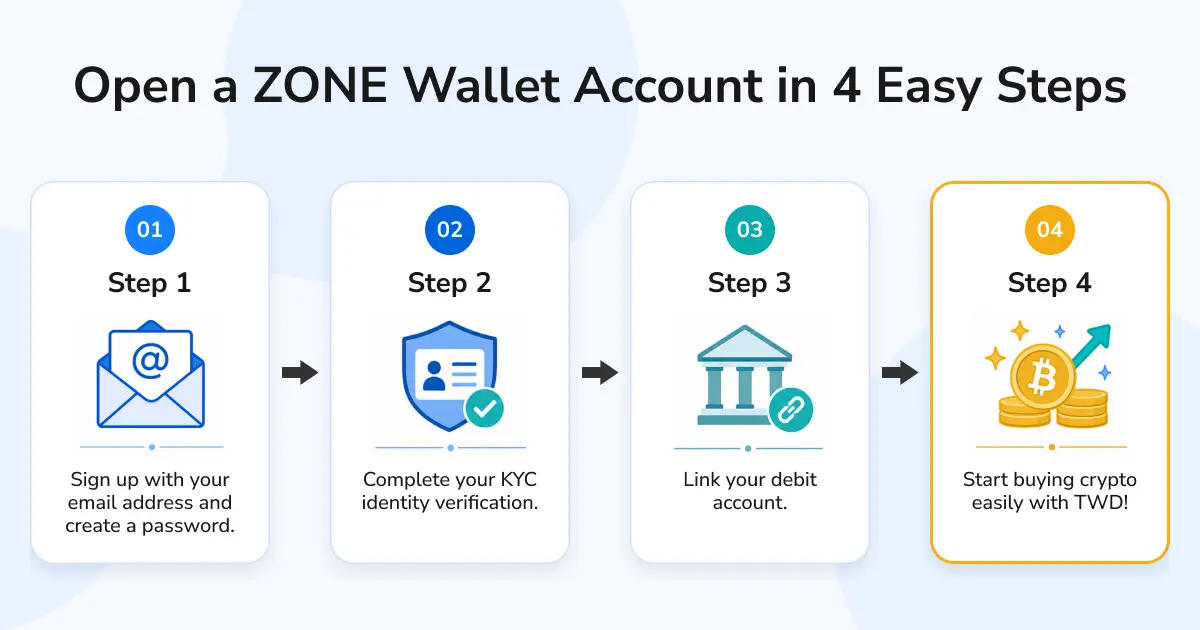
Opening a ZONE Wallet account only takes four steps. The process is as follows:
Step 1 [Sign Up]: Enter your email address and password to register an account.
Step 2 [KYC Identity Verification]: Complete mobile number, ID card, and facial verification, then wait for review to pass KYC identity verification.
Step 3 [Link a Bank Account]: Enter your bank account details and wait for the bank's review. Once approved, you can trade cryptocurrencies with New Taiwan dollars.
Detailed Step-by-Step Guide to Opening a ZONE Wallet Account
Step 1 [Sign Up]
Step 1: Download ZONE Wallet
Step 2: Register an account
Step 2-1: Open the app and tap [Sign Up].
Step 2-2: Create an account password.
*You may choose whether to enter an invitation code.
Step 3: Verify your email address
Step 3-1: ZONE Wallet will send a six-digit verification code to the email address used for registration.
Step 3-2: Check your inbox for the code sent by ZONE Wallet, then return to the app and enter it to create your account.
*If you do not receive the code, tap [Didn't receive a verification code?] below the [Submit] button for guidance.
*After email verification, your account will reach Lv1.


Step 2 [KYC Identity Verification]
After registering your account, the system will prompt you to tap [Go to KYC Identity Verification]. Prepare your ID card, then tap [Start Now].
You will be taken to the KYC identity verification screen. Follow the steps below to complete verification.
Note: KYC (Know Your Customer) is a standard procedure required by international regulators. It helps prevent money laundering and fraud while protecting users' accounts and funds. ZONE Wallet uses this process to protect users' funds and comply with applicable laws and regulations.
Step 1: Select your nationality.
Step 2: Enter your mobile number and make sure it can receive SMS messages. Enter the verification code after receiving it.
Step 3: Photograph and upload the front and back of your ID card.
Step 4: Complete facial recognition verification.
Step 5: Submit your basic information for review. After ZONE Wallet approves the application within 3–5 business days, your account will reach Lv2.
*After submitting, go to App > [Settings] > [Membership Level] to check the progress of your KYC identity verification.


Step 3 [Link a Bank Account]
Linking a bank account lets you trade cryptocurrencies more easily later. You can tap [Go to Link] after submitting KYC identity verification, or follow the steps below after your KYC verification has been approved.
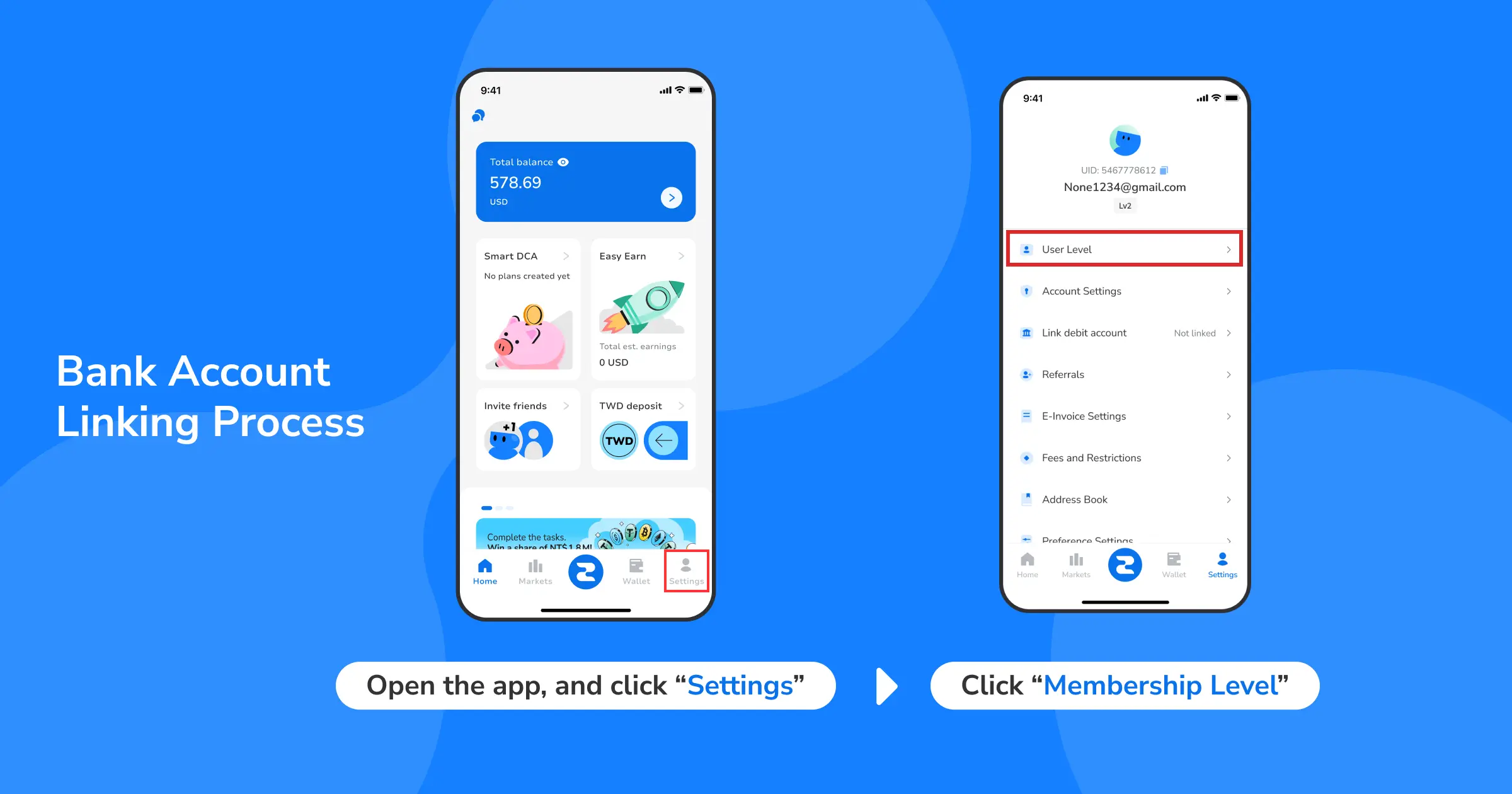
Step 1: Open the app, tap [Settings], and select [Membership Level].
Step 2: Scroll down and tap [Start Linking Bank Account].
Step 3: Enter the required account information, then tap [Submit].
Step 4: On the confirmation screen, tap [Confirm Submit] to submit your bank account linking request, then wait 3–5 business days for bank review.
*Only your own bank account can be linked.
*You can quickly search for a bank by its bank code or Chinese name.
*If you cannot find the bank you want to use in the bank-name field, please refer to the tutorial article.


Frequently Asked Questions About Opening a ZONE Wallet Account
Q1: Can foreign nationals register for a ZONE Wallet account?
A: At present, ZONE Wallet KYC identity verification only accepts Republic of China national ID cards. Foreign nationals can only register as Lv1 members and will have very limited access to ZONE Wallet features.
Q2: What are Lv1, Lv2, and Lv3 accounts?
A: These are ZONE Wallet's account tiers. Higher account levels unlock more features and higher transfer and trading limits. Please refer to: Membership Levels.
Q3: Which bank accounts can I link?
A: ZONE Wallet currently supports linking accounts from more than thirty banks. For details, please refer to: List of Supported Banks.
Q4: Is there a fee to register for the ZONE Wallet exchange?
A: No. Registering for ZONE Wallet is completely free. The platform only charges a fee when you make trades or withdraw funds.
Q5: How long does KYC verification take?
A: ZONE Wallet KYC reviews generally take 3–5 business days. They may take longer when there is a high volume of applications. If you have any questions, contact in-app customer service or email service@zonewallet.io.
What Is ZONE Wallet?
Looking for a legal, compliant cryptocurrency platform that is easy to get started with? ZONE Wallet is a Taiwan-based virtual asset exchange that supports New Taiwan dollar transactions, making it easy for beginners to buy and sell cryptocurrencies. With recurring investment options, users can build a more flexible long-term investment approach.
ZONE Wallet also provides services for business customers. Fast, secure account opening helps startups and enterprises use stablecoins to optimize cross-border payment workflows and reduce payment-processing costs. Backed by robust security, ZONE Wallet supports both personal financial planning and corporate asset allocation as users prepare for the future of Web3.
[download-app]


