How to Look Up a Wallet Address: Balances, Transactions and Block Explorers
Someone says they have sent your USDT and gives you a string of letters and numbers. To find out where the payment is, first identify whether that string is a wallet address or a TXID, then use the block explorer for the correct network.
A wallet address is useful for checking balances and history, while a TXID identifies one specific transaction. Once you have the information and network name, paste it into the explorer's search bar to begin checking.
Where can you check a wallet address?
A block explorer organizes public on-chain data into readable pages. You can search for an address, transaction identifier or token contract to view the associated records.
| Network holding the asset | Lookup tool | What you can check |
|---|---|---|
| Ethereum mainnet, including ETH and ERC-20 tokens on that network | Etherscan | Address balances, token records, transaction status and gas fees |
| TRON mainnet, including TRX and TRC-20 USDT on that network | TRONSCAN | Address assets, TRC-20 transfers and transaction details |
| Solana mainnet | Solana Explorer | Accounts, tokens and transaction records |
First confirm the network in your withdrawal record or receiving page, then choose a suitable lookup tool. Networks such as Ethereum, Arbitrum and Base may use the same address format, so a specific network name makes the lookup more accurate. When checking a real payment in Solana Explorer, select the mainnet environment.
For an introduction to wallets and custody, read what a crypto wallet is.
Ready to start investing in crypto?
Join ZONE Wallet and get started easily with just NT$3 a day!
Download ZONE Wallet now →Address, TXID or platform order number: what is the difference?
Think of an address as an entry point for reviewing incoming and outgoing funds, and a TXID as the identifier for one on-chain transaction.
| Information | Where you commonly find it | What to use it for |
|---|---|---|
| Wallet address or receiving address | A wallet's Receive page or a platform's deposit page | Assets and historical incoming and outgoing transfers for that address |
| TXID, TxHash or Transaction Hash | Submitted transaction details or a platform's withdrawal record | The status, time and contents of a specific transaction |
| Platform order or request number | Platform trading, withdrawal request or customer service records | The platform's internal processing progress |
To find your own receiving address, choose the asset and network in your wallet, then open Receive. On an exchange, get the information from the relevant asset's Deposit page.
A platform's “View in block explorer” link can also take you straight to the transaction or address page.
Four steps to check balances and history
The following example uses Etherscan to look up an Ethereum mainnet address. Field names vary slightly across explorers.
Step 1: Paste the complete address
Paste the address into Etherscan's search bar and choose the matching Address result. After opening the page, compare the complete address in the header to confirm the account you are viewing.
The lookup uses a public address or TXID. The search bar provides access to basic on-chain records.
Step 2: Check ETH and token balances separately
The address page shows the ETH balance, while tokens can be found in areas such as Token Holdings.
For example, an address holding both ETH and USDT has a separate quantity of each. To check USDT, open its token details and verify the token name, contract address and holding amount.
A token contract is an important identifier for an on-chain token. Use the information published by the issuer or receiving platform when checking it.
Step 3: Choose records that match the asset type
On Etherscan, direct ETH transfers can typically be found under Transactions. ERC-20 token receipts and payments can be found under areas such as Token Transfers or ERC-20 Token Txns.
For USDT, starting with token transfer records usually makes the sender, recipient and amount easier to find.
Step 4: Open an individual transaction
Once you find a record with a matching time and amount, click its TXID. The transaction details show status, block, sending and receiving information, and fees, allowing you to compare them with the payment record.
Which fields should you check for a USDT transfer?
Suppose someone is paying you 100 USDT through Ethereum mainnet. This table illustrates the fields to review; use your own transaction information for the actual amount and addresses.
| Field | How to check it |
|---|---|
| Network | Confirm that both parties use the agreed Ethereum mainnet |
| TXID / Transaction Hash | Compare the sender's TXID with the identifier on the transaction page |
| Status | Check for Success, Pending or Failed |
| Token Transfers | Find the actual receiving address and amount for this USDT transfer |
| Token contract | Compare with the USDT contract information published by the receiving platform or issuer |
| Time | Compare with the payment agreement or platform withdrawal record, including the page's time zone |
| Transaction Fee | Review the network fee and compare the amount received with the payment agreement |
Here is a useful reading tip: the top-level To field of an ERC-20 token transfer may show the token contract. Find the actual token recipient in the Token Transfers details.
First locate the USDT transfer, then check the receiving address and the 100 USDT amount. This sequence is clearer than focusing only on a single address at the top of the page.
If you are making a USDT payment, see five common ways to pay with USDT to review the payment agreement, fees and transaction records together.
Submitted but missing details or still awaiting credit? Common situations
Choose your next step based on the status you currently see.
| Current situation | Suggested checking order |
|---|---|
| No results at all | Check that the full address or TXID was pasted, then confirm the network and mainnet/testnet setting |
| Platform shows processing, with no TXID yet | Check the withdrawal request record; provide its request number to customer service if needed |
| Explorer shows Pending | Watch for inclusion in a block and check the status again later |
| Explorer shows Failed | Read the error in the transaction details, then have the sender confirm the next action |
| On-chain Success, but platform credit is pending | Verify the receiving network, address, token contract, amount, required confirmations and deposit conditions |
| Address history exists, but USDT is missing | Switch to the token transfer list and filter by token, time and recipient |
Success means the on-chain transaction executed successfully. Assets sent to an exchange also pass through the platform's crediting process. Use the TXID together with the platform's records to track progress.
When contacting customer service, prepare the network, asset, amount, sending address, receiving address, TXID and withdrawal time to make the payment easier to locate.
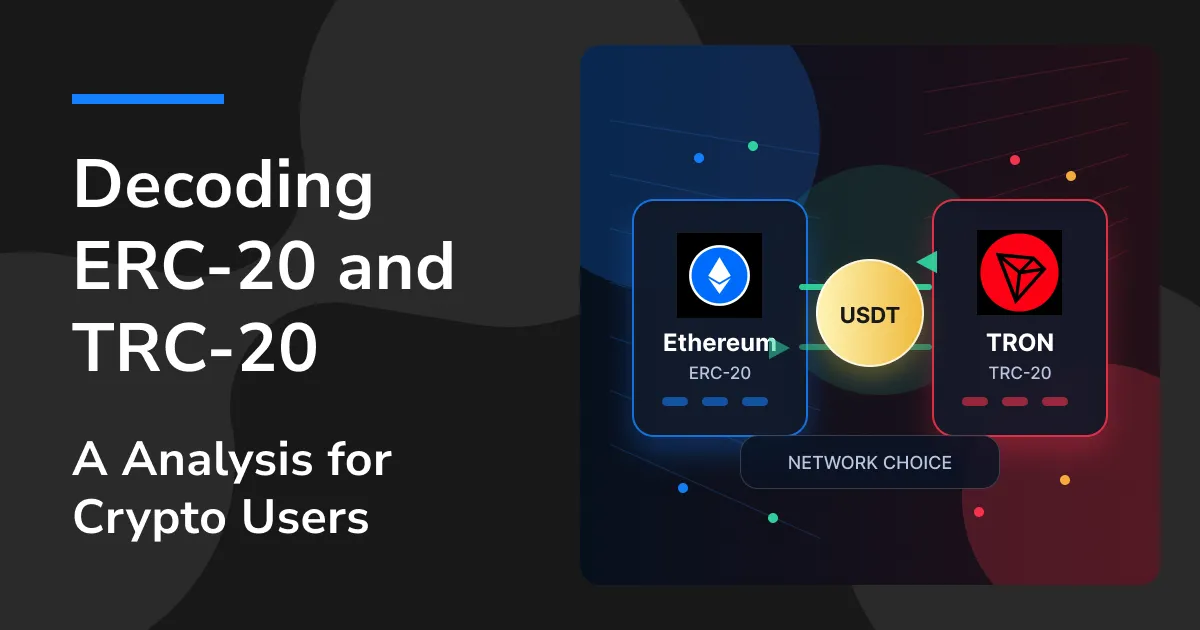
For the basics of network selection, see ERC20 vs. TRC20.
Wallet address lookup FAQ
What information can a wallet address reveal?
On a public blockchain, you can typically check its native coin balance, token assets supported by the explorer, and transaction records. Coverage differs by network, token and explorer; use the token contract and transaction time to narrow the search.
Can a wallet address reveal its owner's name?
Public pages mainly display on-chain activity. Some addresses also carry public labels for exchanges or projects. Confirming an owner's identity requires platform account records or other verifiable evidence.
Why does an exchange app show a different balance from the address page?
An exchange records each user's assets in its internal accounts, while an on-chain address shows the assets and transfers associated with that address. Use the app's account page as the main place to check your exchange balance, then use a TXID to verify a specific deposit or withdrawal.
Does an address lookup cost a fee?
Basic public records on the explorers above can generally be viewed for free. Any subsequent on-chain transfer or contract operation has its own network fee.
What is ZONE Wallet?
ZONE Wallet is a Taiwan-based virtual asset exchange that helps beginners buy and sell with a tap. Its recurring investment feature offers a more flexible way to pursue value investing.
ZONE Wallet also provides virtual asset services for corporate clients, helping startups and businesses use stablecoins to improve cross-border payment processes and reduce payment costs. From personal finance to corporate asset allocation, ZONE Wallet helps you explore the future of Web3.
Start small and get familiar with the process and risks.
Ready to try crypto?
[download-app]
On-chain transfers involve assets and personal information; confirm the network, receiving address and lookup website before proceeding.